The best PDF imposition tool depends on what you’re printing.
Compare Raffle Ticket Maker, PDF24, PDFResizer, Sejda, Online2PDF and Bookbinder JS for free 2-up, 4-up and booklet PDFs, with sources and download examples.
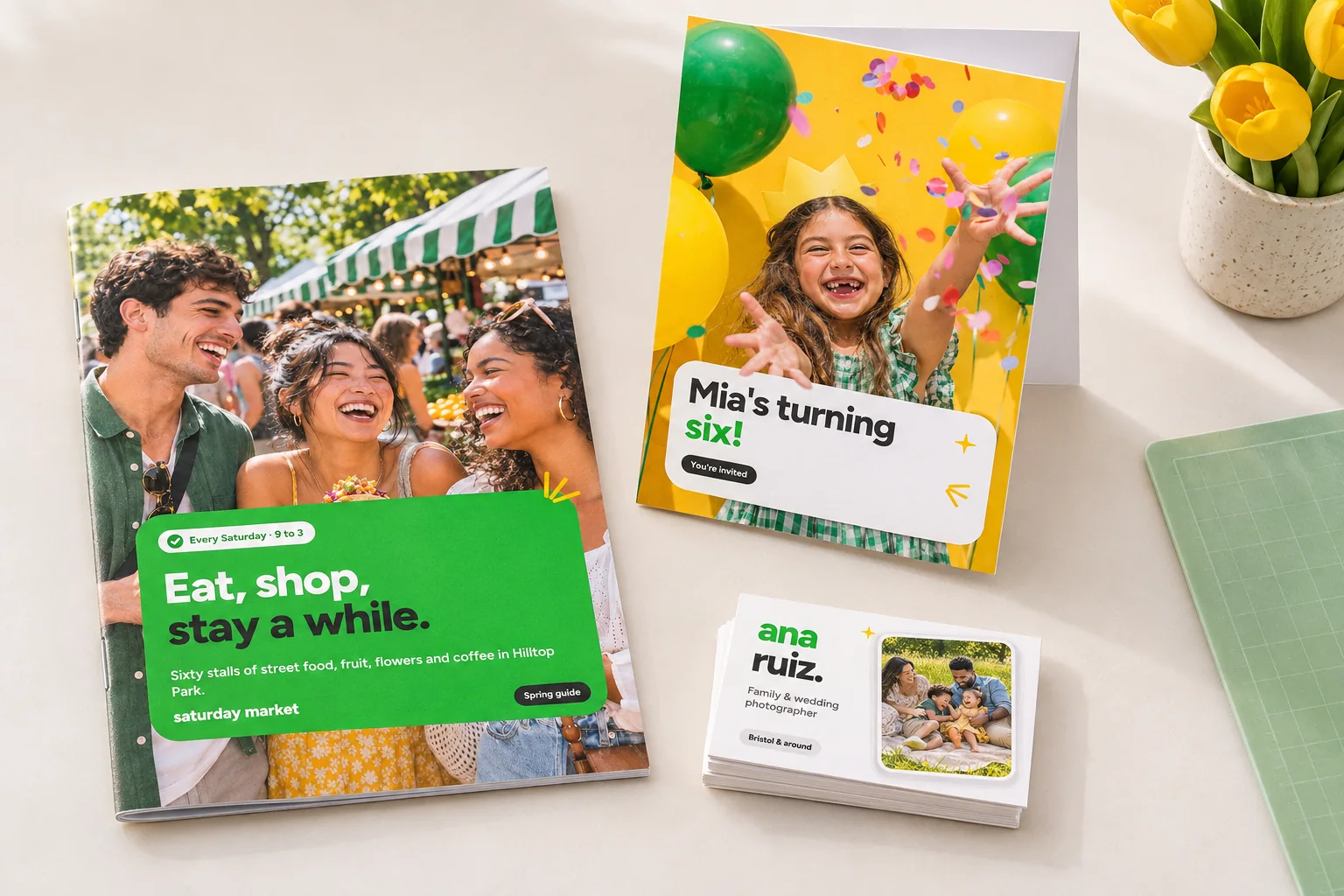
For free 2-up, 4-up, and booklet PDFs that you can edit before exporting, our first recommendation is Raffle Ticket Maker: it processes documents locally, saves the arranged PDF, and keeps preparation, layout, and marks in editable steps. Compare the downloadable outputs below. PDF24 and PDFResizer suit focused N-up jobs; Sejda, Online2PDF, and Bookbinder JS offer other useful conversion or binding workflows.
- Raffle Ticket Maker: local processing and free exports
- Six tools compared by print job
- Downloadable Raffle Ticket Maker output examples
Six free tools, six useful starting points.
Start with Raffle Ticket Maker when you want to save a 2-up handout, a 4-up lesson, or a booklet while keeping the PDF on your device and the workflow editable. That is our editorial pick for those jobs. The alternatives below cover focused conversions and specialist binding needs. Free can mean an unrestricted editor, an advertising-funded service, or a limited allowance.
| Your job | Start by evaluating | What to check |
|---|---|---|
| Editable 2-up, 4-up, and booklet PDFs | Raffle Ticket Maker — our pick for this workflow | Free local processing and export; inspect the downloadable examples. |
| Quick 2-up or 4-up conversion | PDF24 | Online service uploads files; advertising funds free use. |
| Simple N-up without a server upload | PDFResizer | Vendor states local browser processing; check the output layout. |
| An occasional N-up job | Sejda | Published free allowance: 200 pages or 50 MB, 3 tasks per hour. |
| Convert or merge files, then arrange pages | Online2PDF | Server processing; inspect converted fonts and page sizes. |
| Signatures for hand-bound books | Bookbinder JS | Choose the exact binding, folding, and printer settings. |
What this comparison is based on.
This is Raffle Ticket Maker’s editorial shortlist, published by the maker of one of the tools included. We reviewed the linked official tool pages and documentation on 14 November 2026. We selected these six to cover common N-up, booklet, conversion, and binding tasks, rather than presenting every PDF utility as an equivalent choice.
We compare documented layout options, file handling, free-use conditions, and the next production step. Competitor descriptions are documentation-based: we have not run the same source files through every product or measured relative speed, print quality, or reliability. Our recommendations are judgments about fit, not benchmark results or endorsements from the named vendors.
Raffle Ticket Maker: our pick for editable 2-up, 4-up, and booklets.
Start with Raffle Ticket Maker for common pages-per-sheet and booklet jobs when you want a saved PDF and control over the setup. Choose a two-column handout, a four-up grid, or saddle-stitch order; adjust paper, spacing, scaling, and marks before export. The free editor works with a free Google sign-in and keeps PDF processing on your device. Repeated cards and numbered cut-and-stack jobs have separate workflows.
The downloadable examples show five source pages becoming three 2-up sides, nine pages becoming three 4-up sides, and an eight-page booklet becoming four imposed sides. Each includes the source, exact settings, and actual export. Check these files, then try a representative document of your own. Large jobs still depend on browser memory; Raffle Ticket Maker does not provide an unattended production queue, certified preflight, or automatic import of another product’s presets. Optional Orby requests use online services.
PDF24: straightforward N-up and booklet jobs.
Consider PDF24 when you want a focused conversion without setting up a larger workflow. Its pages-per-sheet tool provides layout, paper-size, margin, order, and border controls. A separate booklet tool arranges pages for folding, saves the imposed sheets, and offers an option that places padding blanks before the last page to preserve it as the back cover.
PDF24 describes its online tools as advertising-funded and free without registration. Its pages-per-sheet service processes files on servers in Germany and states that files are deleted after one hour. This can be convenient when uploads are acceptable; use a local-processing alternative when the document must stay on your device. The online service and PDF24’s desktop software are different products.
PDFResizer: a focused local N-up converter.
PDFResizer is worth trying for a simple handout or reduced-page reference sheet. Its N-up page offers grids including 2-up, 4-up, 6-up, 9-up, and 16-up, with paper orientation controls. It states that processing happens locally in the browser, with no registration or payment required.
That makes local processing a shared capability, not something unique to Raffle Ticket Maker. The statement here comes from PDFResizer’s current tool page, not an independent network audit. For a folded booklet, verify the actual page pairs: placing consecutive pages in a two-up grid does not establish correct saddle-stitch order.
Sejda: occasional N-up with clear free limits.
Sejda’s dedicated N-up tool is a useful candidate for occasional work. It exposes horizontal and vertical page ordering, right-to-left documents, and an option to preserve the original page size. Its published free allowance for this tool is documents up to 200 pages or 50 MB, with three tasks per hour.
The web service uploads the file and says it deletes files after two hours. Sejda also points to a separate desktop product for offline work. Check the relevant product and plan if you need frequent processing, larger files, or a local workflow; do not treat a free web allowance as unlimited production capacity.
Online2PDF: conversion and layout in one job.
Online2PDF is worth evaluating when the input needs conversion or merging as well as a pages-per-sheet layout. Its tool combines page selection, rotation, reordering, layout, and other conversion settings. This is a different starting point from an editor that expects a finished source PDF.
The service is free and web-based. Its FAQ says files are temporarily stored on its server and deleted after conversion; it does not offer a downloadable local version. Converting office documents introduces additional checks: embed custom fonts and compare the converted pages with the originals. Its FAQ also states that conversion removes interactive form fields. Keep a separate original if the PDF must remain fillable. Automatic scripts and heavy usage are not supported, so this is not a substitute for a production API.
Bookbinder JS: signatures and hand binding.
Bookbinder JS is an open-source choice to evaluate when folding and gathering are central to the job. The app offers booklet, perfect-bound, standard-signature, and custom-signature settings, with binding margins and marks for sewing. It also documents more involved folding layouts such as quarto and octavo.
Its repository supplies source code, numbered test PDFs, and example outputs; the documentation describes saving a complete copy of the app for local use. These are useful resources for inspecting and reproducing a binding layout. Expect to make deliberate printer and signature choices, and fold a complete proof before committing paper to a long book.
Start with a one-page job brief.
Pick a job you repeat: an eight-page booklet, a two-sided card sheet, or numbered tickets. Write down the source dimensions, intended paper, page order, bleed, marks, duplex arrangement, and finishing sequence. Include a difficult detail from real work, such as a border close to trim or a final partial lift.
Use the same source PDF and specification when evaluating each tool. Otherwise, it is easy to compare one product’s polished demo with another product’s awkward edge case and learn little about the work you need to do.
Three small files that reveal layout mistakes.
Start with numbered pages so you can check the result without guessing from the artwork. Our downloadable examples include complete source and output PDFs with settings. They show Raffle Ticket Maker’s digital output; they are not evidence that every tool above passed the same checks.
- Five source pages, sequential 2-up: expect three output sides with pairs 1–2 and 3–4, then page 5 in the partial final grid. A missing page or an unrequested duplicate is a failure.
- Nine source pages, sequential 4-up: expect three output sides containing 1–4, 5–8, and 9. Check the chosen fill order and whether small text remains legible.
- Eight-page saddle stitch: expect four imposed sides for two physical sheets, with page pairs 8 + 1, 2 + 7, 6 + 3, and 4 + 5. Fold and nest the sheets to verify reading order; pair membership alone does not prove the duplex orientation.
Separate layout needs from production-system needs.
Raffle Ticket Maker provides interactive preparation, imposition, and finishing steps in a browser. That is a different buying problem from an unattended workflow server or a certified preflight station.
- Layout: booklet pairs, repeated designs, sequential grids, or cut-and-stack order.
- Finishing: appropriate margins, marks, folds, and a testable gathering sequence.
- Environment: browser, standalone desktop application, or an installed host-app plug-in.
- Repeatability: editable presets, local templates, or a shared production configuration.
- Integration: manual PDF handoff versus job tickets, automation, or a device-connected workflow.
- Quality control: image, font, colour, and PDF-standard checks beyond sheet arrangement.
When a desktop or production tool is the better choice.
A free browser shortlist is not a procurement list for every print shop. If your approved workflow depends on an Acrobat plug-in, a device-connected print controller, job tickets, or unattended automation, evaluate those requirements before changing the sheet-layout tool. Quite Imposing Plus, Imposition Wizard, and Fiery Impose belong in different workflow discussions; our individual comparisons link to the relevant official product information.
Record the host application, licence, supported operating system, operator time, and output requirements. A paid tool can cost less overall when it preserves an established production process. Do not count a future feature or an untested migration path as something already available.
Finish the trial with paper.
Export the job and complete the physical process: print both sides, cut a card, fold a booklet, or gather a ticket lift. Record the result and the operator effort, including any settings rebuilt outside the tool. Keep the accepted PDF and proof.
Choose Raffle Ticket Maker when its visible local workflow covers the job. Retain or select another system when you need production capabilities the browser editor does not provide. Adobe’s preflight reference is a useful reminder that quality checking is a distinct requirement from arranging pages.
Before you
get started.
What is the best free PDF imposition software?
Our pick for free, editable 2-up, 4-up, and booklet workflows is Raffle Ticket Maker: it exports the arranged PDF locally with a free Google sign-in, and the source files, settings, and example outputs are available to inspect. For specialist signatures, evaluate Bookbinder JS; for focused conversions, compare PDF24, PDFResizer, Sejda, and Online2PDF. The best fit still depends on your finished job.
Which tools can save four pages on one PDF page?
Raffle Ticket Maker saves a 2 × 2 N-up layout as a new PDF, with local processing and an inspectable nine-page example. PDF24, PDFResizer, Sejda, and Online2PDF also offer N-up output. Print the arranged PDF one output page per side so the print dialog does not apply four-up again.
Which PDF imposition tools avoid uploading the PDF?
Raffle Ticket Maker processes PDFs locally, and PDFResizer’s current N-up page also states local browser processing. Bookbinder JS documents local use of its open-source app. The PDF24, Sejda, and Online2PDF web services described here use server processing; desktop products can have different behavior. Follow your organisation’s file-handling requirements.
Does a two-up PDF automatically make a booklet?
No. Sequential two-up puts adjacent source pages together. A folded booklet needs reordered pairs and the correct front-to-back orientation. Use a booklet workflow and fold a proof; an eight-page booklet needs two physical sheets, not eight pages on each sheet side.
Is the cheapest tool always the lowest-cost workflow?
No. Include host-app requirements, operator time, proofing, training, and any external systems the job still needs. Free conversion can suit occasional work; a paid production tool may be more economical when it preserves an established automated process.
Check the details.
Official product information and practical references. Reviewed .
- PDF24: pages per sheet, free use, and server processing
- PDF24: booklet creation and PDF export
- PDFResizer: N-up layouts and local-processing statement
- Sejda: N-up tool and published free limits
- Online2PDF: multiple pages per sheet
- Online2PDF: file handling and usage FAQ
- Bookbinder JS: binding and signature settings
- Bookbinder JS: source code, local use, and sample files
- Adobe: preflight checks
The next step
is your PDF.
Start with a real sample. Adjust every step. Make a proof before the print run.