Step & repeat
One design fills the sheet, with gutters wide enough for a double cut.
See step and repeatOpen your ticket PDF and choose how many fit a sheet. Raffle Ticket Maker lays them out for cut and stack, so every pile comes off the guillotine in number order, then exports the imposed PDF with crop marks.
Free with Google sign-in · Your PDFs stay on your device
Three sample jobs, as the editor sets them up for a digital toner press. Choose one, then open it and change anything.
From finished artwork to a sheet the press can run.
Bring your artwork or start from a sample. The file is read in your browser: pages, size, bleed, colour and fonts.
Pick a tool and set every control, or choose what you are making and have the sheet, bleed, gutters and marks set. Add your press if you want its margins and marks.
Preflight flags problems and offers one-click fixes. Export the imposed PDF with a job ticket and a JDF cutting program.
Choosing the product fills these in, and a press refines them. Each one stays visible and editable before you export.
One design fills the sheet, with gutters wide enough for a double cut.
See step and repeatReading order becomes printer’s order, so the pages run in sequence once the sheets are folded and nested.
See the PDF booklet makerArtwork runs past the trim, and marks show the guillotine where to cut.
Add bleed to a PDFNumbered pieces land so that every cut pile stays in order. Made for tickets, forms and pads.
See cut and stackTwo, four or any grid of pages on each side, in the reading order you choose.
See the N-up PDF toolSee how the job fills every stock size your press runs before you pick one.
Try it on the card sampleOptional. A press brings its sheet sizes, the edges it cannot print, and the marks the pressroom reads.
Toner presses and HP Indigo, from SRA3 to B2.
Sheetfed offset, from B3 to B1.
PDF imposition and export run locally in your browser. Your document is not uploaded for processing, and the editor only asks for a free Google sign-in.
Open the free editorSay it the way you would to the pressroom. Orby proposes editable steps, ready for you to review and refine.
Your PDF stays on your device. Only your prompt and basic page information go to the AI service. Live Orby requests require an active Pro account.
Explore Orby with Pro“Business cards, 85 × 55 mm on SRA3, with 3 mm bleed.”
10 sample workflows on real artwork. Open one, then swap in your PDF.
 Saddle-stitch bookletThe Saturday Market, an eight-page food market guide. Reading order becomes printer’s order.
 Business cardsAna Ruiz’s photography cards, 85 × 55 mm, repeated across the sheet.
 Round labelsSunny Hill honey: 80 mm round jar labels stepped across the sheet.
 Folded cardMia’s birthday invitation: panels arranged and the centre fold marked.
 PostcardsA save-the-date: A6 postcards with bleed.
 Flyers 2-upAn adoption-day flyer, front and back: A5, two to a sheet.
 Perfect-bound bookTwelve days on the coast: a 16-page A5 photo book.
 Handouts 4-upA four-page beginner yoga handout, printed 4-up.
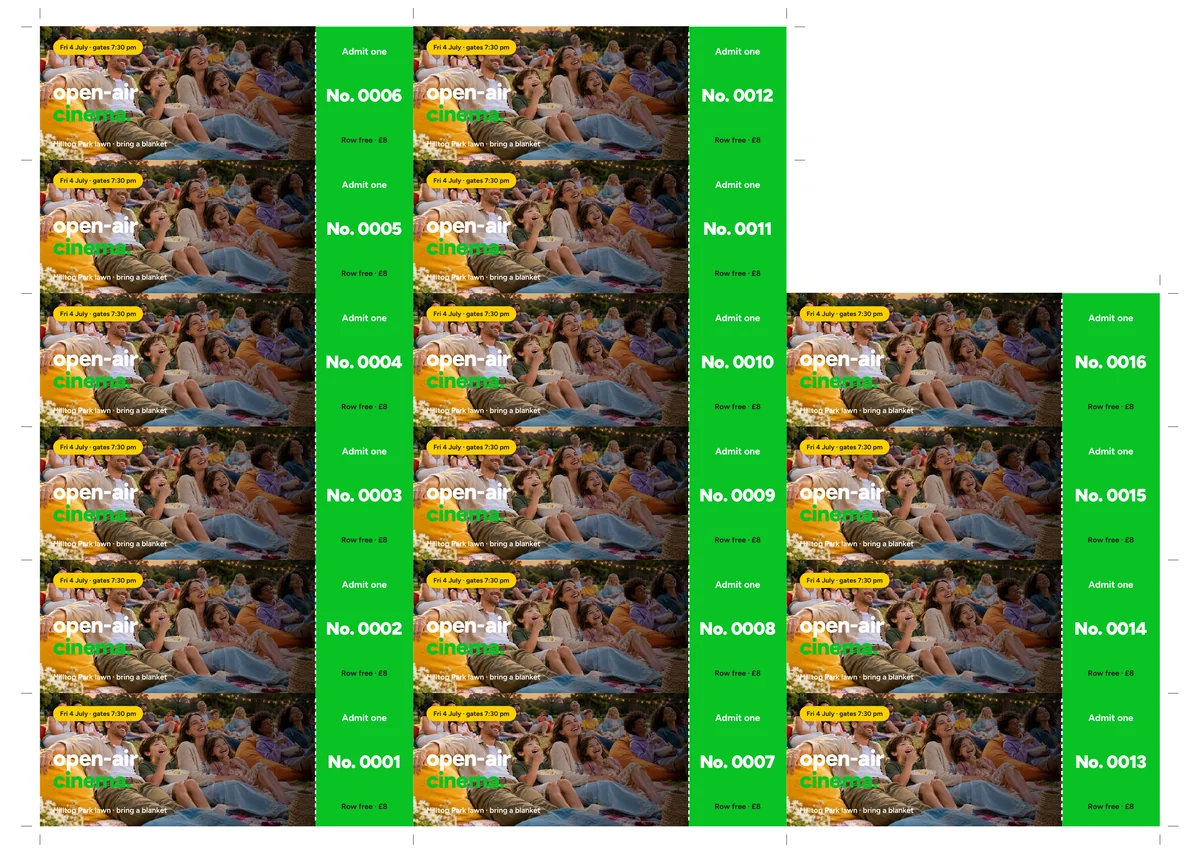
 Numbered ticketsOpen-air cinema: 16 numbered tickets, cut and stacked in order.
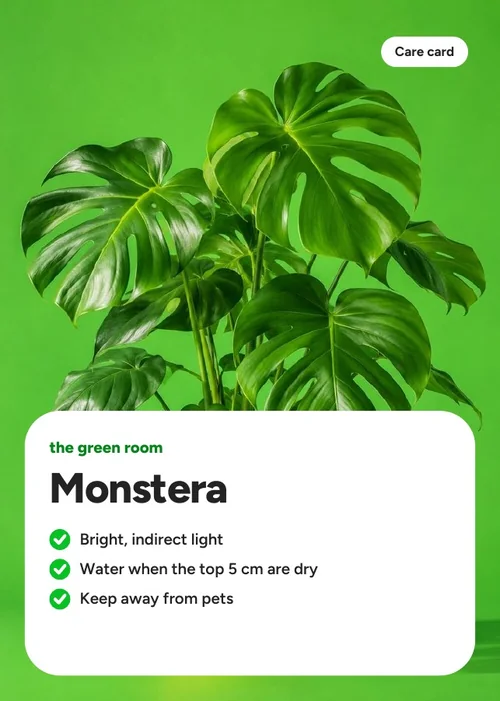 Press sheet with marksPlant-shop care cards with press control marks.
Practical guides and honest comparisons, from choosing an imposition tool to checking your first duplex proof.
Raffle Ticket Maker is a browser-based PDF imposition editor. Open a PDF and either work with the tools directly (step & repeat, N-up, booklets, cut & stack and more, chained as steps) or pick what you are making and have the sheet, bleed, gutters and marks set for you; a press is an optional setting. It runs preflight checks, estimates sheets and overs for a quantity, and exports the imposed PDF with a job ticket and a JDF cutting program. Files are processed locally, and the editor is free to use with a free Google sign-in.
Business cards, postcards, flyers, folded cards, booklets, books, calendars, labels, numbered tickets, handouts, posters, and gang sheets. Pick the product and the press, then check the sheet preview before exporting.
Digital toner presses, HP Indigo, and sheetfed offset from B3 to B1. Choosing a press sets the sheet, bleed, gutters and marks for it. Check the result against your own machine’s specification before a production run.
The imposed PDF, a job ticket, and a JDF cutting program. Before exporting, enter a quantity to see an estimate of the sheets and overs the run needs.
PDF imposition and export run locally in your browser. Your document is not uploaded for processing. If you ask Orby for help, your written request and basic page information are sent to our AI service; the PDF itself stays on your device.
Use N-up to place several source pages inside each output PDF page. A 2-up grid places two pages on each side; 4-up places four. Export the layout as a new PDF. Merge PDFs instead joins files into a sequence of separate pages. To make a folded booklet, choose booklet imposition so the page order matches the fold.
Yes. Use N-up with a 2 × 1 grid for two pages side by side, or a 2 × 2 grid for four pages on each output side. Adjust the paper size, margins, and page order, then export a new PDF. For repeated copies of the same page, use step and repeat. For a folded booklet, use booklet imposition.
You can open the editor and use the PDF tools without creating an account. Google sign-in connects your account to subscription features, including Orby AI when available.
Yes. Orby proposes editable steps rather than a finished file. Review the paper size, bleed, page order, duplex settings, and marks, then adjust the workflow before exporting.
Raffle Ticket Maker exports the layout you configure as a PDF, and preflight checks point out problems it finds before you export. Always check the file against your printer’s requirements for paper size, bleed, duplex orientation, colour, and finishing, and make a proof before a production run.
Something else on your mind? Get in touch
Bring the artwork. We’ll make room for it.