PDF imposition terms, explained with real jobs.
Understand 2-up, 4-up, duplex, step and repeat, cut and stack, signatures, gutters, TrimBox, BleedBox, crop marks, and booklet creep.
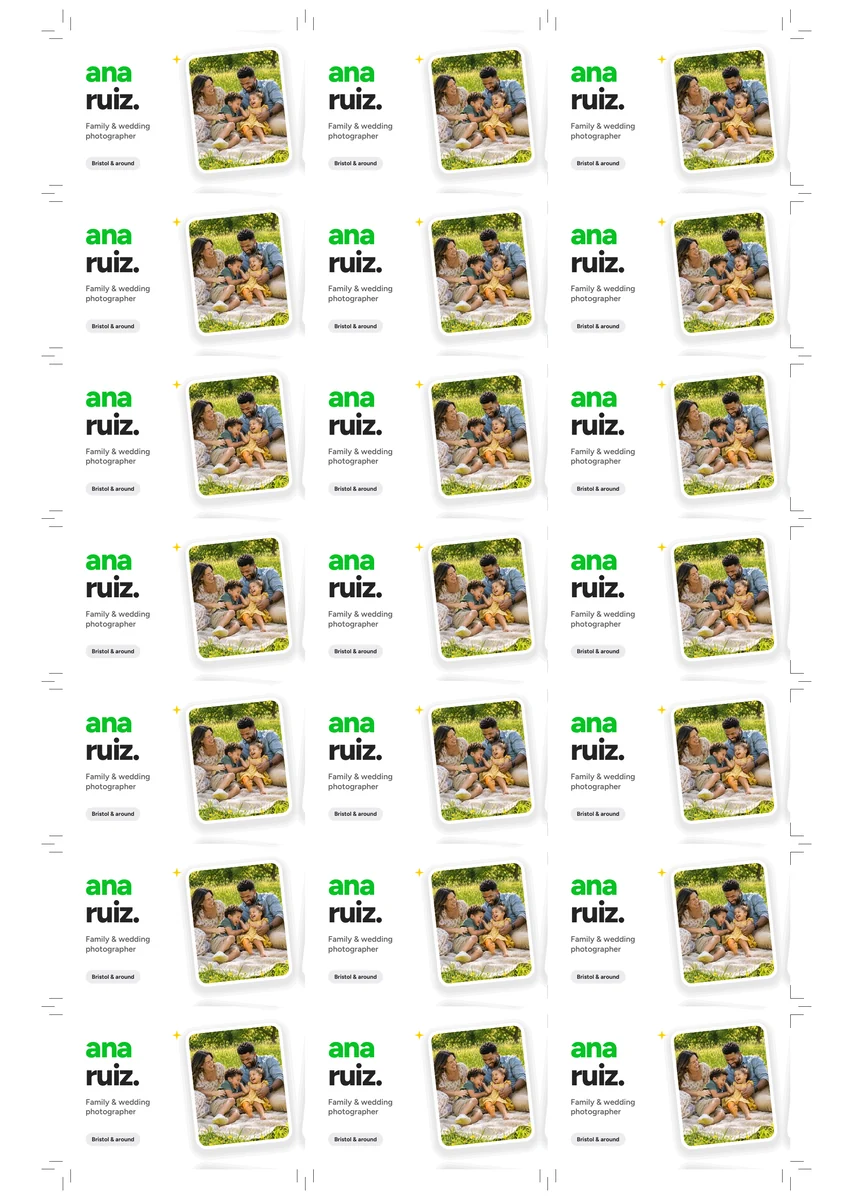
PDF imposition arranges source pages on output sheets for printing and finishing. N-up counts positions per side; duplex describes printing both sides. Trim, bleed, gutters, and creep describe different physical allowances. Using the right term makes a layout specification easier to build and check.
- Count pages, sides, and sheets separately
- Know what each PDF page box means
- Match allowances to the print job
Source page, output side, and physical sheet
A source page is one page face in the PDF you open. An output page is one page in the imposed PDF; it normally represents one printed side. A physical sheet is the piece of paper passing through the printer. It has a front and a back. Confusing these counts can double an order or leave half a booklet unprinted.
For example, eight source pages at 4-up produce two output PDF pages. Print those single-sided and you use two physical sheets; print them duplex and you can use one. An eight-page saddle-stitched booklet instead has four output sides on two physical sheets, because its layout places two booklet pages on each side.
N-up, 2-up, and 4-up
N-up means several source page faces arranged inside one output side. The number replaces N: 2-up has two positions, 4-up has four, and 6-up has six. The spelling may appear as nup, 2up, or 4up in a search, but it describes the same family of layouts.
The count does not completely specify the grid. Four-up could be two columns by two rows or four columns by one row. You still need paper size, orientation, page order, and scaling. In Raffle Ticket Maker’s Handouts 4-up sample, four different lesson pages occupy a 2 × 2 grid on landscape A4. A partial final grid can leave positions empty.
Simplex, duplex, and flip edge
Simplex prints on one side of a sheet; duplex prints on both. These describe the printer output, not the number of page positions in the layout. A 4-up job can be simplex or duplex. Selecting two copies of a print job is another setting again: it repeats the job rather than adding positions to each side.
Flip edge describes how the reverse side is oriented relative to the front. The useful setting depends on sheet orientation and the way the finished piece opens. A proof with clearly marked tops is more reliable than carrying a remembered long-edge or short-edge setting from an unrelated job.
Step and repeat, cut and stack, and gang-up
Step and repeat places several copies of an artwork page on the same side. Business cards and repeated labels are typical jobs. N-up usually advances through different source pages instead. Raffle Ticket Maker’s business-card sample repeats an 85 × 55 mm design across 21 positions; the grid does not create new names or serial numbers.
Cut and stack arranges different pages so that the cut piles can be gathered in the intended sequence. It is useful when tickets are already numbered in the source PDF. Gang-up is a broader production term for placing items together on a sheet. Vendor labels differ: Fiery distinguishes Repeat, Unique, and Unique-Collate Cut. Specify the desired finished order rather than relying on a mode name alone.
Reader spread, printer spread, signature, and saddle stitch
A reader spread shows the two pages seen together in an open book. A printer spread pairs pages for production; they may be far apart in reading order. In an eight-page booklet, page 8 beside page 1 forms the outside covers. A PDF exported as reader spreads is therefore not automatically ready for booklet printing.
A signature is a folded section of pages used in binding. A saddle-stitched booklet nests folded sheets and staples through their fold. Each ordinary folded duplex sheet contributes four page faces. ‘Sheets per signature’ and ‘pages per signature’ are different units: four such sheets contain sixteen page faces. Confirm the unit when transferring a setting between applications.
Trim, bleed, and safe area
Trim is the intended finished cut boundary. Bleed is artwork extending beyond that boundary so a small cutting shift does not expose an unprinted edge. Safe area is an inset where important text and details should remain. Bleed extends outward; safe area protects content inward. Neither one replaces an accurate cutting setup.
For an 85 × 55 mm card, adding 3 mm on all four sides gives a 91 × 61 mm artwork area. That calculation does not prove the file contains suitable artwork in that space. An empty border is not useful bleed, and adding bleed cannot rescue text already placed too close to trim. Use the printer’s requested allowance rather than treating 3 mm as universal.
MediaBox, CropBox, TrimBox, and BleedBox
PDF page boxes are geometric boundaries stored in the file. MediaBox describes the page’s overall extent. CropBox controls the region normally displayed or printed. TrimBox identifies the intended finished size, while BleedBox identifies the permitted bleed extent. These boundaries can coincide, and not every source PDF supplies meaningful production boxes.
Changing a box does not draw missing artwork or physically cut paper. A crop operation may hide content without removing it. Check both the declared dimensions and the visible edge treatment before imposing. A page that looks like an 85 × 55 mm card on screen may have a larger canvas or an unexpected crop boundary affecting placement.
Sheet margin, gutter, and finishing marks
A sheet margin leaves space around the layout. A gutter separates neighbouring positions. A spine gap is spacing at a booklet’s central pairing. These are distinct from the white margins already inside the source design. For cut-apart work, allow enough separation for neighbouring bleed and the intended cut sequence.
Crop marks indicate trim positions; fold marks indicate where material bends. A crease guide may be a line on a setup proof rather than something wanted on the final product. Marks need room within the printable sheet. Adding them does not create an equipment-approved cutter program, and marks alone do not make a PDF suitable for every press.
Creep and the physical proof
Creep is the shift caused by paper thickness when sheets nest and fold. The inner sheets project farther at the open edge; compensation adjusts page placement to account for the finished trim. It is not another name for a gutter or bleed, and it should be based on the stock and binding method rather than an arbitrary number.
A physical proof is a printed example finished in the intended way. Use it to measure scale, check front/back orientation, fold a signature, or gather cut piles. Raffle Ticket Maker lets you arrange and inspect a PDF, but that preview does not certify paper handling or replace the printer’s preflight and finishing checks.
Before you
get started.
Does 2-up mean double-sided printing?
No. Two-up describes two page positions on each output side. Duplex means printing both sides of a physical sheet. You can use either 2-up simplex or 2-up duplex.
Are crop marks and bleed the same thing?
No. Crop marks indicate where to trim. Bleed is artwork extending beyond that trim boundary. A file can have marks without having usable bleed.
Is Raffle Ticket Maker the same term as N-up PDF?
Raffle Ticket Maker is the product name. N-up PDF describes a document layout with several page faces on each output side, such as 2-up or 4-up.
Check the details.
Official product information and practical references. Reviewed .
- Quite Imposing: n-up pages
- Adobe: printing multiple PDF pages per sheet
- Quite Imposing: step and repeat
- Fiery Impose: repeat, unique, and collate-cut layouts
- Adobe: printing a PDF as a booklet
- Adobe: booklet spacing, bleed, margins, and signatures
- Adobe: PDF page boxes and cropping
- Adobe PDF Reference: page boundaries, section 10.10.1
The next step
is your PDF.
Start with a real sample. Adjust every step. Make a proof before the print run.